Leaving Framer cleanly is less about the export itself and more about everything wired around it: the domain, the redirects, the forms that used to just work, the analytics, and any CMS content. Miss one and you get broken links or a dead contact form the day you cancel. This checklist walks the whole switch in order, so the site that goes live on your new host behaves exactly like the one you left.
Export first, verify the preview, then line up domains, redirects, forms, and analytics before you repoint DNS — cancel the Framer plan only once the new site is live and confirmed.
Step 0: Export and verify first
Before touching anything live, get your export and confirm it's faithful. Paste your published URL, preview the full site free, and check the animations page by page against your live site. Only once the preview holds up do you have something worth migrating to. Pick HTML for a finished site you just want to host, or React if it keeps evolving. How to verify the export →
1. Domains and DNS
- Confirm where the domain is registered and that you control the DNS, not Framer.
- Deploy the exported site to your new host first, on a temporary URL, and confirm it works end to end.
- Only then update the DNS records (A/CNAME) to point at the new host, and provision SSL there. Free static hosts include SSL and custom domains.
- Keep the Framer plan active until DNS has fully propagated and the new site serves on your real domain — then cancel.
2. Redirects
- Inventory your existing URLs (from your sitemap or analytics) so no path silently 404s after the move.
- Recreate any redirects Framer handled for you as host-level redirects on the new host.
- Preserve slugs where you can; where you can't, add a 301 from the old path to the new one so SEO and inbound links survive.
3. Forms
This is the one people forget. Framer's built-in form handling stays behind on Framer — a static export has no server to receive submissions. Before launch, wire every form to a form endpoint (for example Formspree, or a serverless function) and:
- Point each form's action at the new endpoint.
- Reconnect notification emails and any autoresponders.
- Submit a real test entry and confirm it arrives before you cut over.
4. Analytics and tracking
- Re-add your analytics and any pixels or tag manager to the exported site — Framer's injected tracking doesn't come along.
- Verify events and pageviews register from the new host in real time.
- Re-submit your sitemap and re-verify the domain in search tools.
5. CMS content
- Freeze CMS edits before you export so the snapshot you migrate is the latest content.
- Remember that Framer's own export doesn't cover CMS-driven pages cleanly — account for those pages explicitly.
- If your content keeps changing after the move, a flat export becomes its own dead end. That's the case for an editable code project ( clonesite.ai), which turns the site into React + Tailwind with a CMS you keep editing.
6. Hosting choice
For a finished site, the exported files run for $0 on Cloudflare Pages, Vercel, or Netlify — CDN, SSL, and custom domains included, the same line-items Framer's plan bundled. If you'd rather have the export, hosting, and a form endpoint handled for you, our Host plan does that: see pricing. Either way, the goal is the same — stop paying an editor subscription for a site nobody edits. The full cost math →
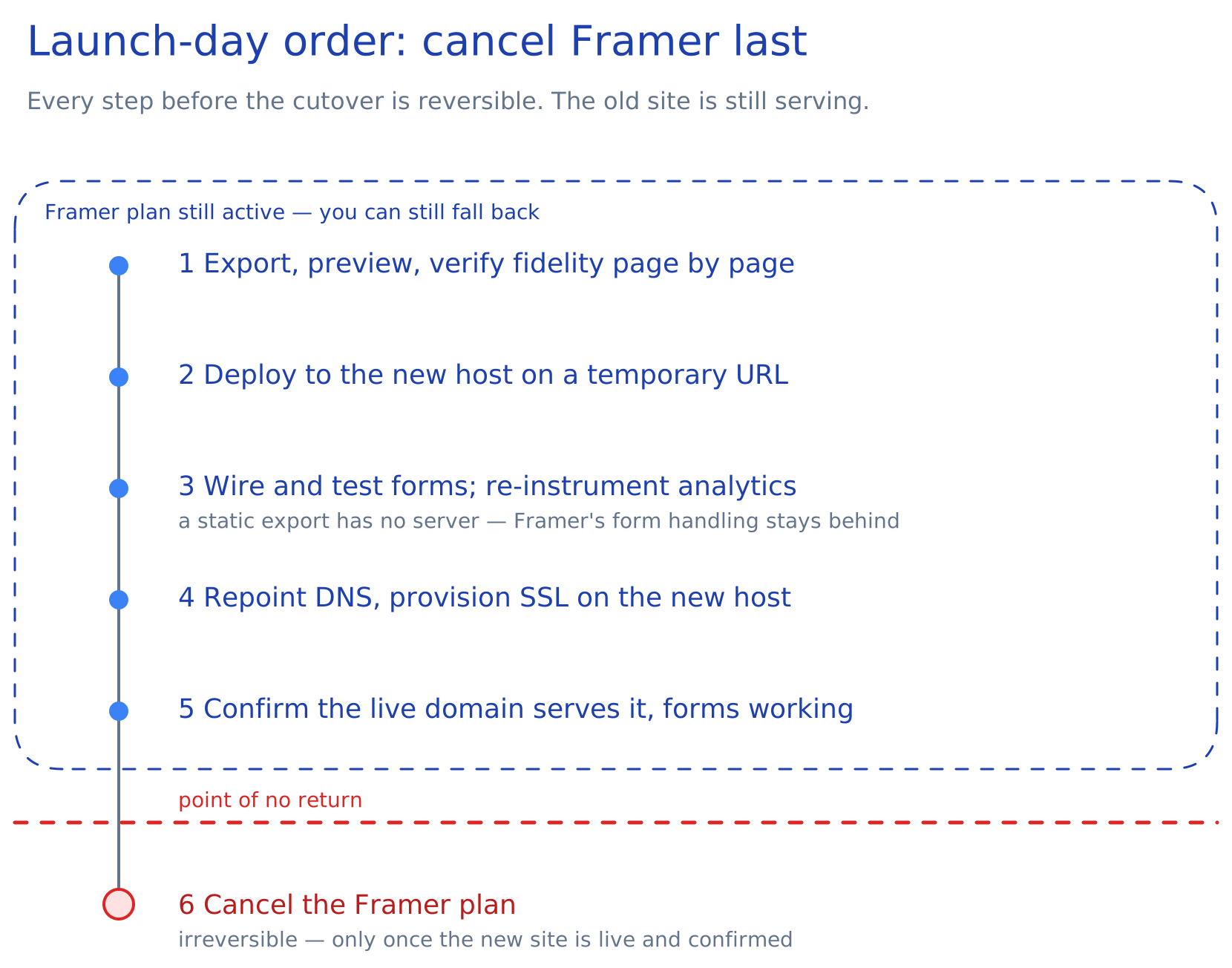
Launch-day order of operations
- Export, preview, and verify fidelity page by page.
- Deploy to the new host on a temporary URL and test everything.
- Wire and test forms; re-instrument analytics.
- Repoint DNS and provision SSL on the new host.
- Confirm the live domain serves the new site with forms working.
- Cancel the Framer plan.
FAQ
What breaks when you migrate off Framer?
Most often forms (no server to receive them), redirects (old URLs 404), and analytics (Framer's injected tracking doesn't transfer). Handle those before repointing DNS and nothing breaks.
How do I keep my forms working after export?
Point each form at a form endpoint like Formspree or a serverless function, reconnect the notification emails, and submit a test entry before you cut the domain over.
Where should I host the exported site?
A finished site runs free on Cloudflare Pages, Vercel, or Netlify. If you want it handled for you, our Host plan covers export and hosting together. Self-host your Framer site →